The shift checklists your team actually finishes
RecipeMate turns paper checklists into role-based shift routines with start and due times. Staff see exactly what's running now, check tasks off with their name attached, and get reminded before the deadline — managers get a record of what got done, without hovering.
Digital shift checklists for restaurants and cafés
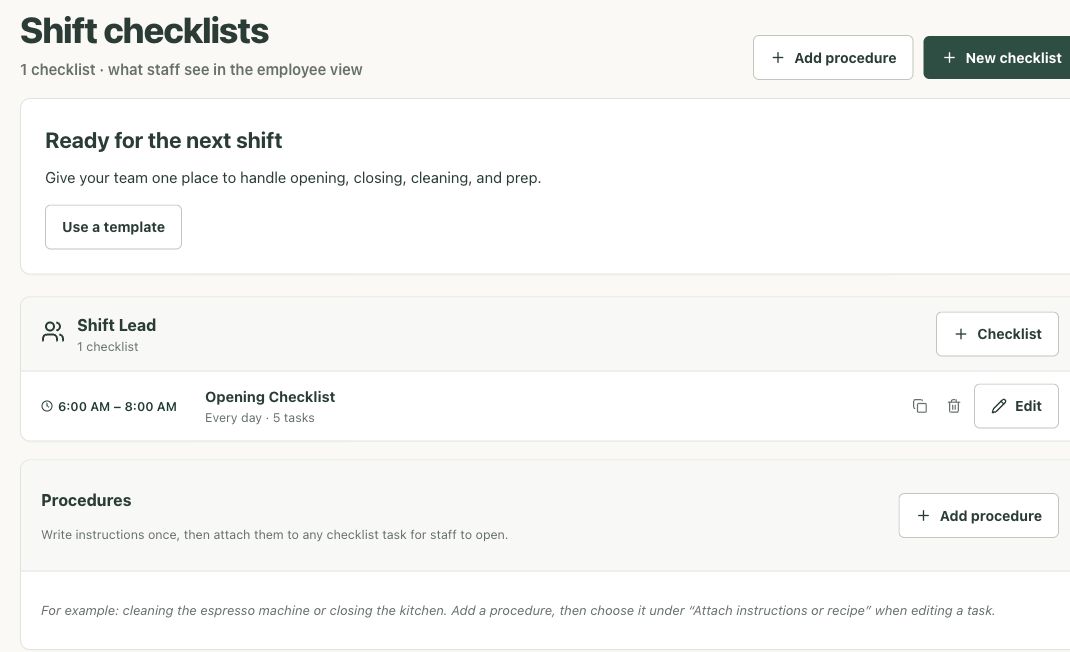
Paper checklists get skipped, lost, and pencil-whipped. RecipeMate replaces them with checklists organized by role — Barista, Kitchen, Shift Lead — each with a start time, a due time, and a repeat schedule. Staff pick their role on any device, see what's running right now, and work through the list. Opening, mid-shift prep, changeovers, cleaning, closing, weekly deep cleans — set them up once and they run on every shift, all day.
- Role-based checklists with start and due times
- Daily, weekly, monthly, or custom repeat schedules
- One-time tasks that appear only on the date you pick
- Reorder tasks so the list matches the flow of the shift
Urgency built in: reminders before the deadline, alerts after
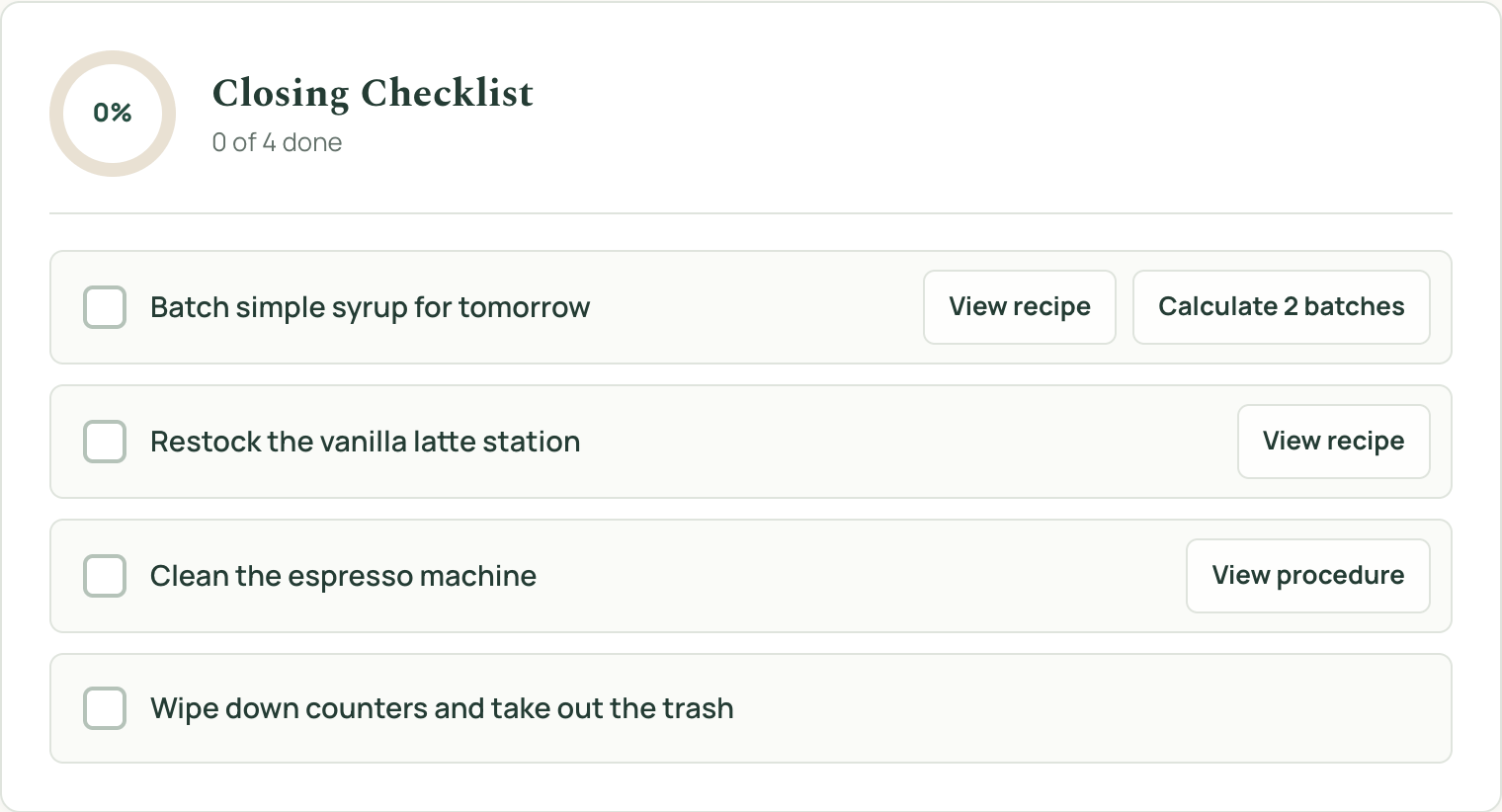
A checklist is only useful if it gets finished on time. As the due time approaches, RecipeMate shows escalating popup reminders — two hours out, one hour out, and a final fifteen-minute warning with the remaining task count. If the window closes with tasks unfinished, the checklist doesn't quietly disappear: it stays pinned at the top of the board as a red alert until someone finishes the tasks or a team member explicitly dismisses it.
- Popup reminders at 2 hours, 1 hour, and 15 minutes before due
- A start banner the moment a checklist window opens
- Missed checklists pinned on top until they're handled
- Live progress ring so the whole team sees what's left
Accountability without micromanaging
Every completed task is stamped with who did it and when — staff tap their name once per shift and it sticks. Managers can scroll back through any day to see what was finished, what was missed, and who was on. It's the paper checklist's signature line, minus the guesswork, and it lives in the same app as your recipe book, so there's nothing extra for staff to install or log into.
- Every task stamped with a name from your staff roster
- Browse any past day's completion record
- Same app as the staff recipe book — one place for the team
- No cost or margin data visible to employees, ever
Frequently asked questions
What is a restaurant checklist app?
It's a digital replacement for the paper opening, closing, and prep checklists taped up around your shop. Tasks are organized by role and shift window, staff check them off on any device, and every completion is recorded with a name and time so managers know what actually got done.
Can I make a different checklist for each shift?
Yes. Each checklist has its own start time, due time, and repeat schedule — a 6:00 AM opening list due by 11:00, a mid-day prep list, a closing list that runs 8:00 to 11:00 PM, a weekly deep clean on Mondays, and so on. Each is assigned to a role so staff only see what applies to them right now.
How do the reminders work?
When a checklist opens, staff on that role see a banner. As the due time approaches, popup reminders fire at two hours, one hour, and fifteen minutes remaining, showing exactly how many tasks are left. Short checklists skip the longer reminders automatically.
What happens if a checklist doesn't get finished?
It stays pinned at the top of the employee board as a red alert — showing how many tasks were missed and when it was due — until the tasks are completed or someone on the team dismisses it. Dismissed or not, the day's record keeps the missed count.
Do my staff see recipe costs or prices?
No. Employees get the checklists and the staff recipe book — build steps, prep scaling, and tasks. Cost, margin, and supplier pricing stay in the manager view.
Is it free?
Yes — RecipeMate is free during early access, checklists included, alongside AI recipe costing, invoice import, and margin tracking. No credit card required.
Run every shift from a checklist that runs itself
Free while we onboard our first shops. Set up your roles and first checklist in minutes.
Become a founding member